



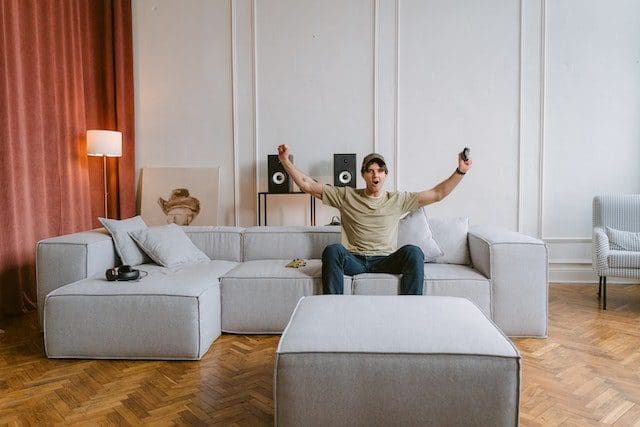

Designing the perfect gaming room isn’t just about throwing in a console and a comfy chair. It’s about crafting a space that feels immersive, functions smoothly, and enhances every session, whether you’re in a competitive match, exploring a fantasy world, or just relaxing with friends online. From layout to lighting to choosing the right gear, every detail counts.
Let’s dive into what makes a gaming room truly ideal.
Start with the Layout: Space, Flow, and Comfort
A smart layout is the backbone of any gaming setup. Whether you’re working with a full room or just a corner, it’s essential to consider how you’ll move, sit, and interact with your equipment.
Start by placing your desk or console station in a way that minimizes glare from windows and distractions from doorways. The main screen—whether a monitor or TV—should sit at eye level to reduce strain. Give yourself enough legroom, and avoid cramming your chair too close to the wall. Leave space behind you for movement and airflow, especially if you’re using a high-performance PC setup.
If you plan on streaming or creating content, consider the background that will appear on camera. A tidy shelf, LED lighting strip, or themed décor can go a long way without taking up valuable space.
Lighting: Function Meets Mood
Lighting plays a big role in setting the atmosphere and making your room practical for long gaming sessions.
Overhead lighting should be soft and indirect. Harsh white light can cause eye fatigue. Instead, use warm-toned bulbs or dimmable ceiling lights. Supplement this with LED strips behind your monitor or desk for ambient glow. RGB options let you customize color schemes to match the vibe of your game or your personal style.
Task lighting, like an adjustable desk lamp, is a must if you’re reading guides or adjusting settings. For a fully immersive setup, consider bias lighting behind your screens. It reduces eye strain and adds depth to your display.
Choosing the Right Gear: Prioritize Performance and Comfort
Your gear is the heart of your gaming experience. It’s where form meets function.
Monitors and Displays
For PC gamers, a monitor with high refresh rates (144Hz or higher) and low response time is ideal. These features help reduce motion blur and provide a smoother visual experience, especially in fast-paced games like Counter-Strike 2. Console users may lean toward 4K TVs with low input lag to ensure responsiveness and clarity during gameplay.
Having a quality display matters not just for competitive gaming, but also for casual players who enjoy visually rich experiences. Whether you’re immersed in story-driven adventures or exploring vibrant interfaces on no CRUKS casino platforms, crisp visuals and accurate color reproduction enhance the entire session. The size of your screen should match your distance from it; larger isn’t always better if you’re sitting close. Balancing resolution, refresh rate, and viewing comfort helps create a more enjoyable and versatile gaming setup.
PCs and Consoles
A high-end GPU, fast SSD storage, and efficient cooling make all the difference in performance. For console setups, ensure you’ve got proper ventilation, as tight spaces can cause overheating.
Audio Setup
Sound matters just as much as visuals. Noise-canceling headphones help you stay focused, while a surround speaker system can make the experience more cinematic. Just be sure to manage wires and test volume levels to avoid disturbing others.
Chairs and Desks
A quality gaming chair with lumbar support is worth the investment. Don’t fall for flashy designs; prioritize ergonomics. Your desk should be spacious enough to hold your gear with minimal clutter. Cable trays or clips help keep things tidy.
Smart Storage and Personal Touches
Even the best equipment loses its charm in a cluttered environment. Wall-mounted shelves, under-desk drawers, and dedicated hooks for headsets or controllers keep your space organized. Modular storage lets you expand as your collection grows.
Adding personal touches, like framed artwork, collectible displays, or themed rugs, can turn your room from functional to inspirational. Just keep balance in mind. Too much décor can feel cramped, especially in smaller spaces.
Temperature and Airflow
Gaming setups can generate serious heat. Make sure your space is ventilated. A small desk fan, ceiling fan, or even a cooling pad under your laptop can keep things running smoothly. Avoid placing consoles or PCs directly against walls or inside tight cabinets without ventilation holes.
If your budget allows, air purifiers can reduce dust buildup on sensitive gear and keep the room feeling fresh during long sessions.